Nail the take.
Ship the video.
PrompterCam is the teleprompter with a full editing suite built in. Read your script while you record, then trim, caption, and export for every platform without leaving the app.
Start for FREE. One $14.99 purchase.
No subscription.

Free 7-day trial. No card to start. iPhone & iPad, iOS 16+.
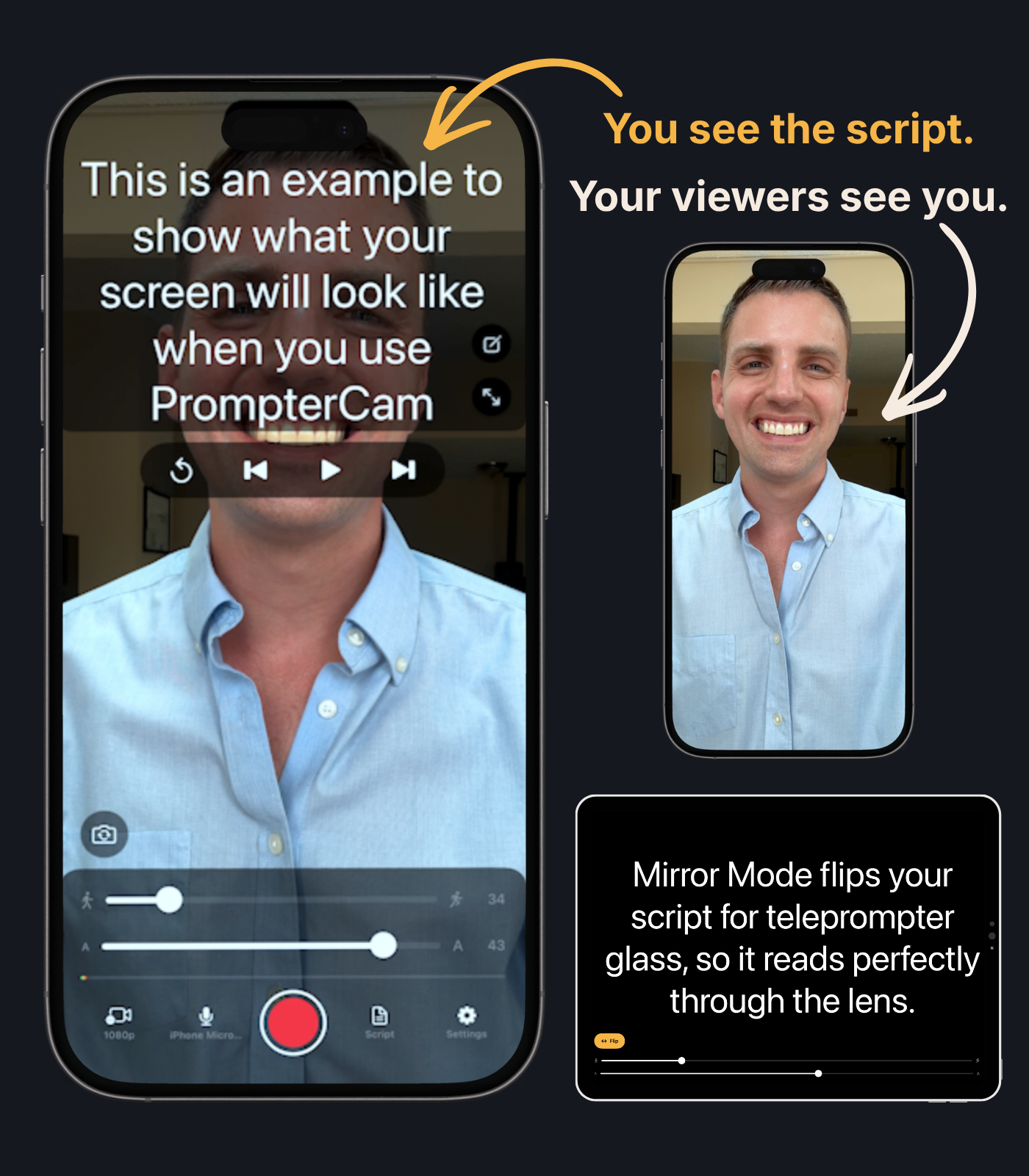
Stop bouncing between a teleprompter, an editor, a captions app, and a resizing tool.
PrompterCam takes you from script to post-ready in one place: record while you read, cut the flubs, add captions
and music, clean up the audio, and export for TikTok, YouTube, or anywhere else.
Built by a creator,
for creators.

Rick McClelland
Emmy-winning video producer · Creator of PrompterCam
“I was sick of needing subscriptions to
four different apps to make one video.”
So I built one that does it all.
Two ways to use PrompterCam
The Edit Suite
Record it. Then finish it.
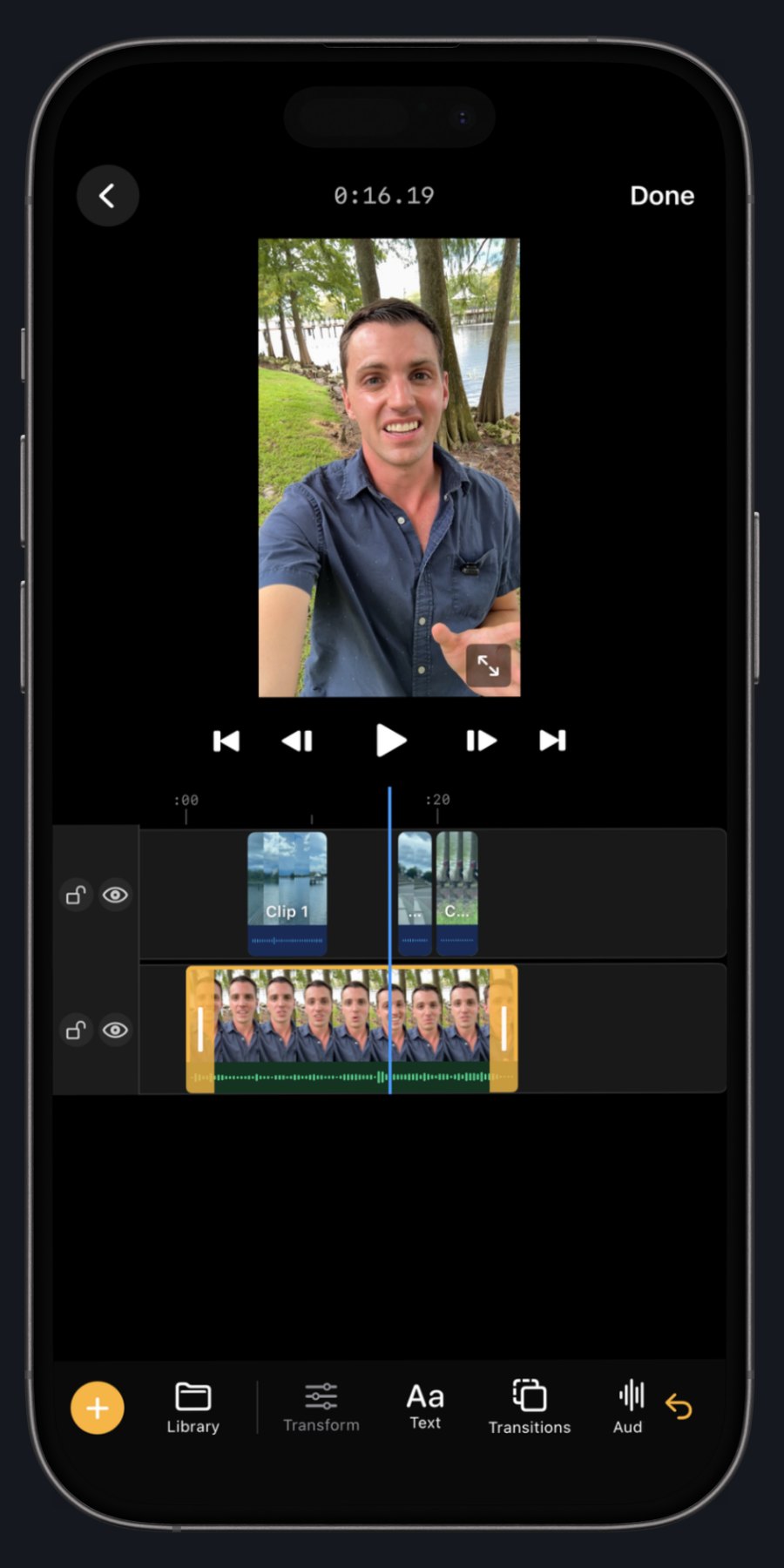
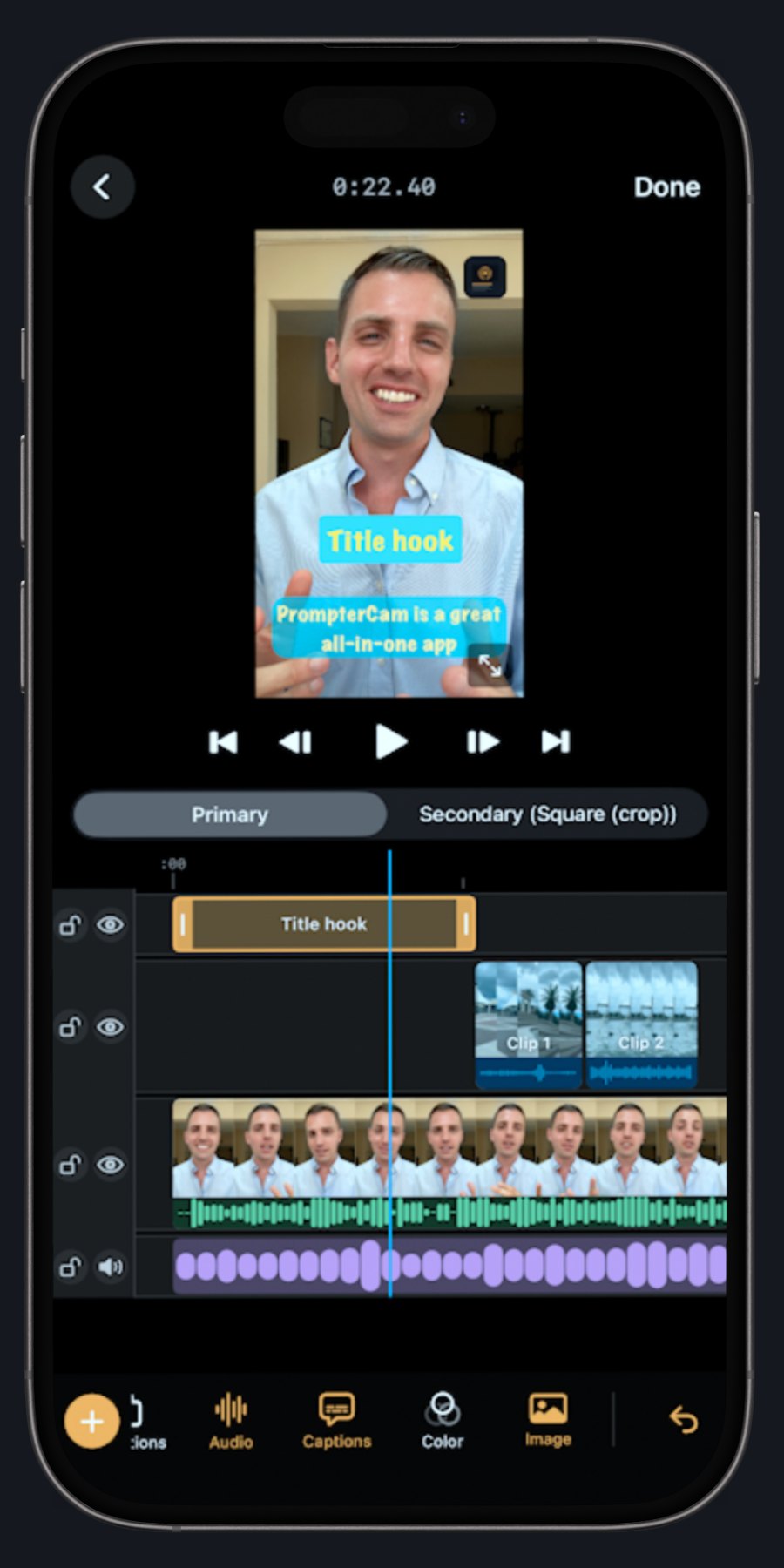
Built-in editor
Cut the flubs where you filmed them.
A real timeline editor inside the app: trim takes, rearrange clips, and finish your video minutes after you stop recording.
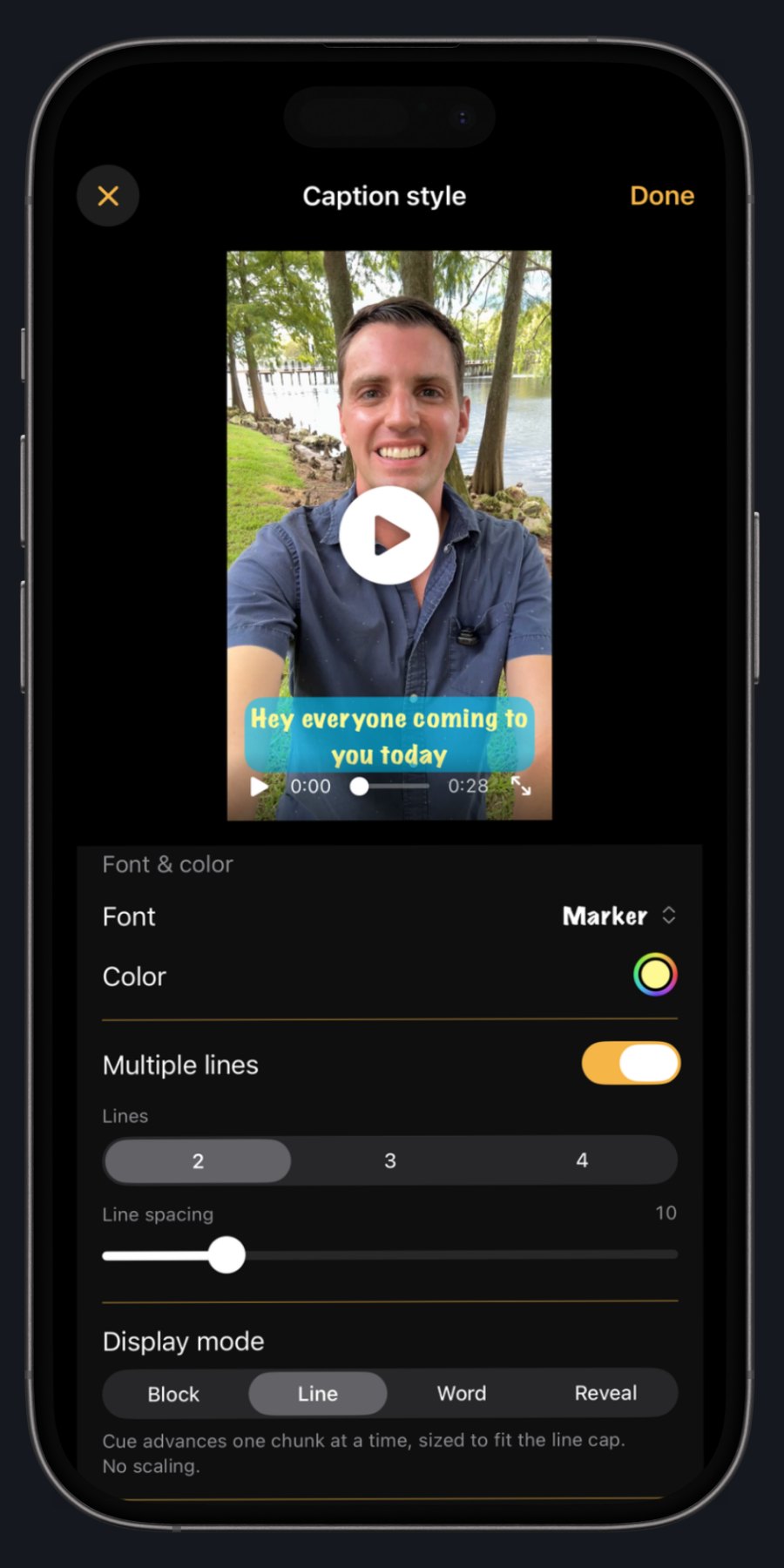
AI captions
Captions that nail every word.
Generated on your device in seconds — no cloud upload, no per-minute credits. Style the font, color, size, and position to match your brand.
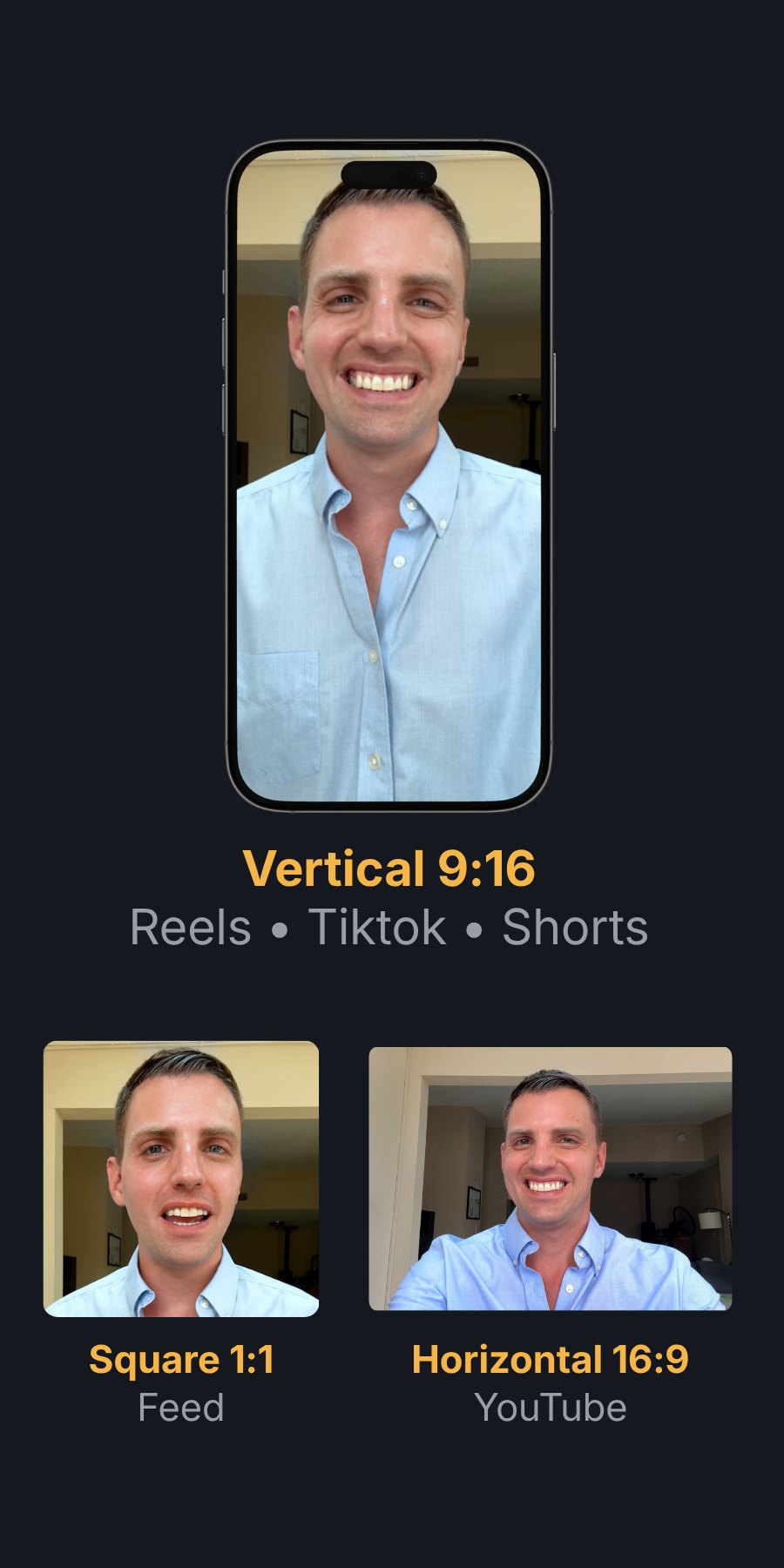
Every platform
One take. Every aspect ratio.
Export 9:16 for Reels and TikTok, 1:1 for feeds, and 16:9 for YouTube. All from the same recording.
Layers
Music, b-roll, titles, images.
Drop supporting media straight onto the timeline. Your video stops looking like a talking head and starts looking produced.
The prompter
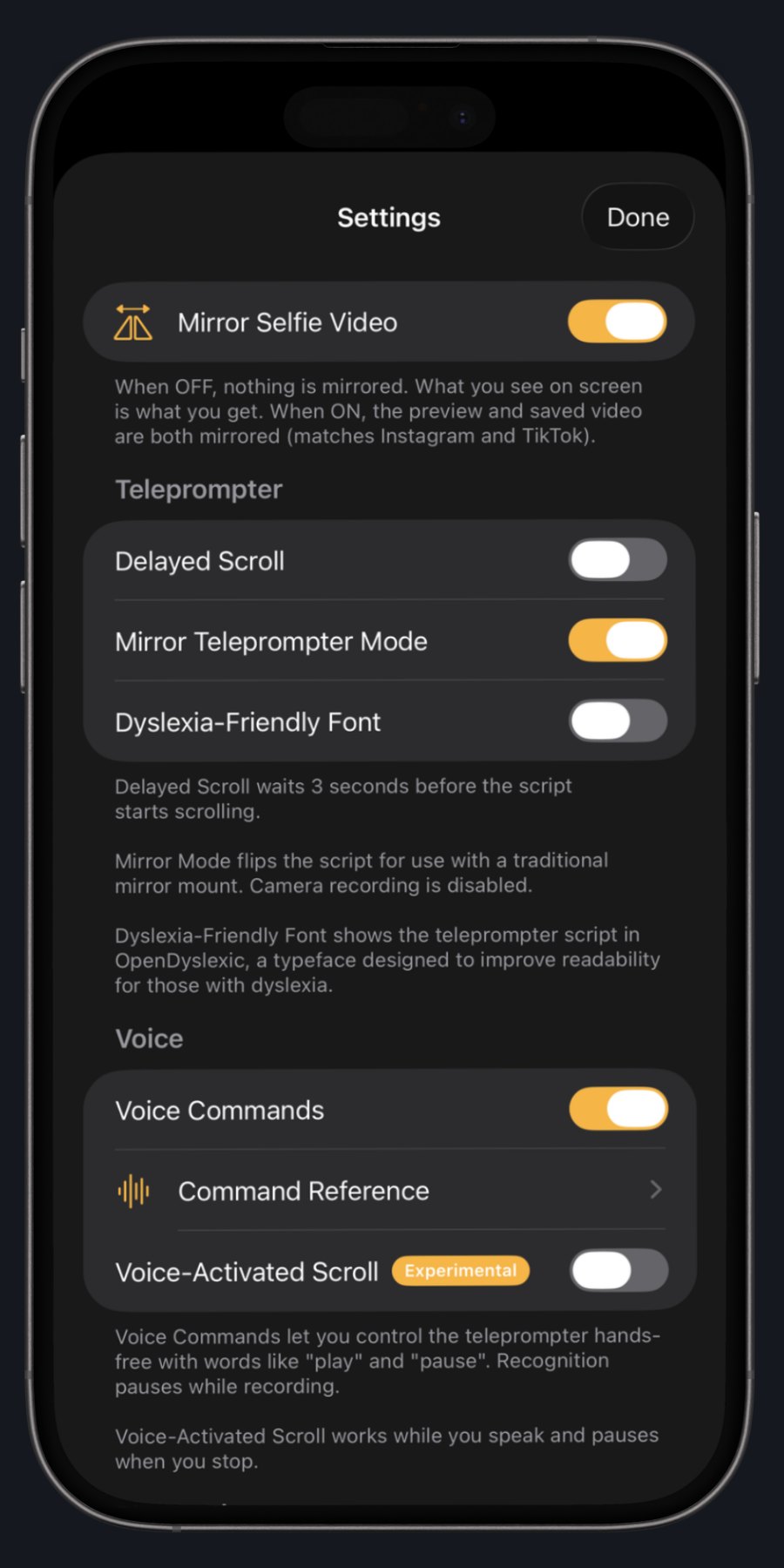
Professional features.
Adjustable speed, portrait and landscape, Bluetooth controls, voice commands, mirror mode for pro rigs, and a dyslexia-friendly font for accessibility.
Clean audio
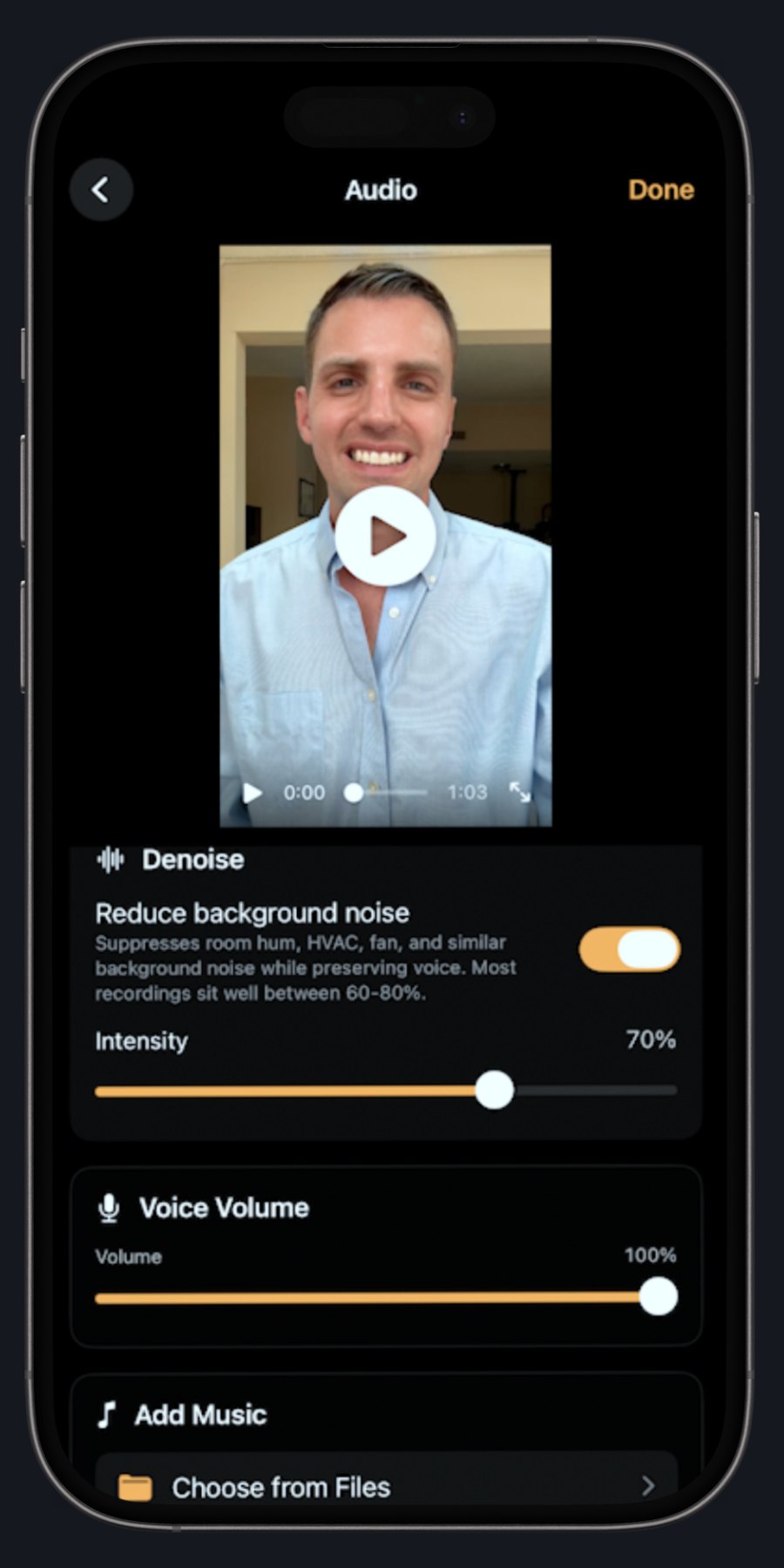
Studio sound. One tap.
The built-in denoiser strips room hum, AC rumble, and echo, so you sound like you recorded in a booth.
Pay once. Own it forever.
7-day free trial. Every feature, no watermarks, no card required. After the trial, PrompterCam stays free as a script reader. One purchase unlocks everything, forever.
Questions, answered.
Something else on your mind? Email [email protected]. I read and respond to everything personally.
[email protected] · Privacy Policy · © 2026 Wit's End Creative
PrompterCam
Privacy Policy
Last updated: September 29th, 2026
PrompterCam is built with privacy as the default. We do not collect, store, or transmit any personal information from the people who use the app. This policy explains exactly how the app handles your data, in plain language.What data we collectNone. PrompterCam has no servers, no analytics, and no third-party SDKs that gather information about you. The app does not require an account, and no usage data is sent off your device.What stays on your device• Scripts you create or import are stored only on your device, in the app's private storage. They are never uploaded anywhere.• Recorded videos are saved to your Photo Library after you finish recording, just like any other camera app. They are not copied, mirrored, or sent anywhere by PrompterCam.• App settings and preferences (font size, scroll speed, mirror mode, etc.) are stored locally and never leave your device.• On-Device Processing. PrompterCam uses several speech-recognition and audio-processing components (WhisperKit for caption generation, RNNoise for background noise reduction) that run entirely on your device. Audio and video from your recordings are never sent to PrompterCam's servers or to any third-party service for processing. The only data that ever leaves your device is what you explicitly choose to share through standard iOS share sheets or by saving to your Photos library.• Imported Audio and Video Files. When you choose to add a music track or import a clip from the Files app, iOS hands us a one-time link to the specific file you selected. We copy that file into PrompterCam's own storage so it remains available even if you move or delete the original. Imported files stay on your device — we do not transmit them to PrompterCam or any third party. You can remove an imported track at any time from inside the relevant editor; removing a track does not delete the original file you imported from.Permissions we request• Camera. Used to record video while you read your script. The camera feed is processed on your device only.• Microphone. Used to record audio alongside your video.• Photo Library (add only). Used to save your finished recordings to your Photos. We can only add new videos — we cannot read or browse anything else in your library.• Speech Recognition (optional). Used only if you turn on hands-free voice commands. Speech is processed using Apple's on-device speech recognition where available. We never receive or store your speech data.• Apple Music Library. When you tap "Choose from Apple Music" in the Add Music section, PrompterCam asks iOS for access to your music library so you can pick a song to play under your recording. We only see the song you select — never the rest of your library, your listening history, or your playlists. Songs are processed entirely on your device. Note that Apple Music streaming tracks you have not downloaded for offline listening are DRM-protected by Apple and cannot be saved into an exported video; PrompterCam will let you preview them in-app but the exported file will play without that audio. Songs you have downloaded (or purchased from iTunes) play and export normally.PurchasesPrompterCam Pro is sold as a one-time, non-consumable in-app purchase. Payments and entitlement checks are handled entirely by Apple through StoreKit. PrompterCam never sees your payment information, and we do not maintain any record of your purchase outside of what Apple provides to the app at runtime.Children's privacyPrompterCam is not directed at children under 13. Because the app does not collect any data from anyone, it does not knowingly collect data from children either.WebsiteThis website (www.promptercam.com) is a static landing page. It does not set tracking cookies, run analytics, or collect visitor information.Changes to this policyIf we ever materially change how PrompterCam handles data, we will update this page and revise the date at the top. Because the app currently collects nothing, we don't anticipate frequent changes.ContactQuestions or concerns about this policy? Email [email protected].© PrompterCam. This policy is provided in good faith and in plain English. It is not legal advice.